
Edit: A lot of folks have been asking what worfklows I used to write these apps. I used GitHub Copilot in VS Code with a custom agent prompt that you’ll find toward the end of this post. Context7 was the only MCP I used. I mostly just used the built-in voice dictation feature and talked to Claude. No fancy workflows, planning, etc required. The agent harness in VS Code for Opus 4.5 is so good - you don’t need much else. And it’s remarkably fast. Also, if it’s not obvious, these are my opinions. I’m wrong like 50% of the time so proceed with caution.



If you had asked me three months ago about these statements, I would have said only someone who’s never built anything non-trivial would believe they’re true. Great for augmenting a developer’s existing workflow, and completions are powerful, but agents replacing developers entirely? No. Absolutely not.
Today, I think that AI coding agents can absolutely replace developers. And the reason that I believe this is Claude Opus 4.5.
Opus 4.5 is not normal
And by “normal”, I mean that it is not the normal AI agent experience that I have had thus far. So far, AI Agents seem to be pretty good at writing spaghetti code and after 9 rounds of copy / paste errors into the terminal and “fix it” have probably destroyed my codebase to the extent that I’ll be throwing this whole chat session out and there goes 30 minutes I’m never getting back.
Opus 4.5 feels to me like the model that we were promised - or rather the promise of AI for coding actually delivered.
One of the toughest things about writing that last sentence is that the immediate response from you should be, “prove it”. So let me show you what I’ve been able to build.
Project 1 - Windows Image Conversion Utility
I first noticed that Opus 4.5 was drastically different when I used it to build a Windows utility to right-click an image and convert it to different file types. This was basically a one shot build after asking Opus the best way to add a right-click menu to the file explorer.
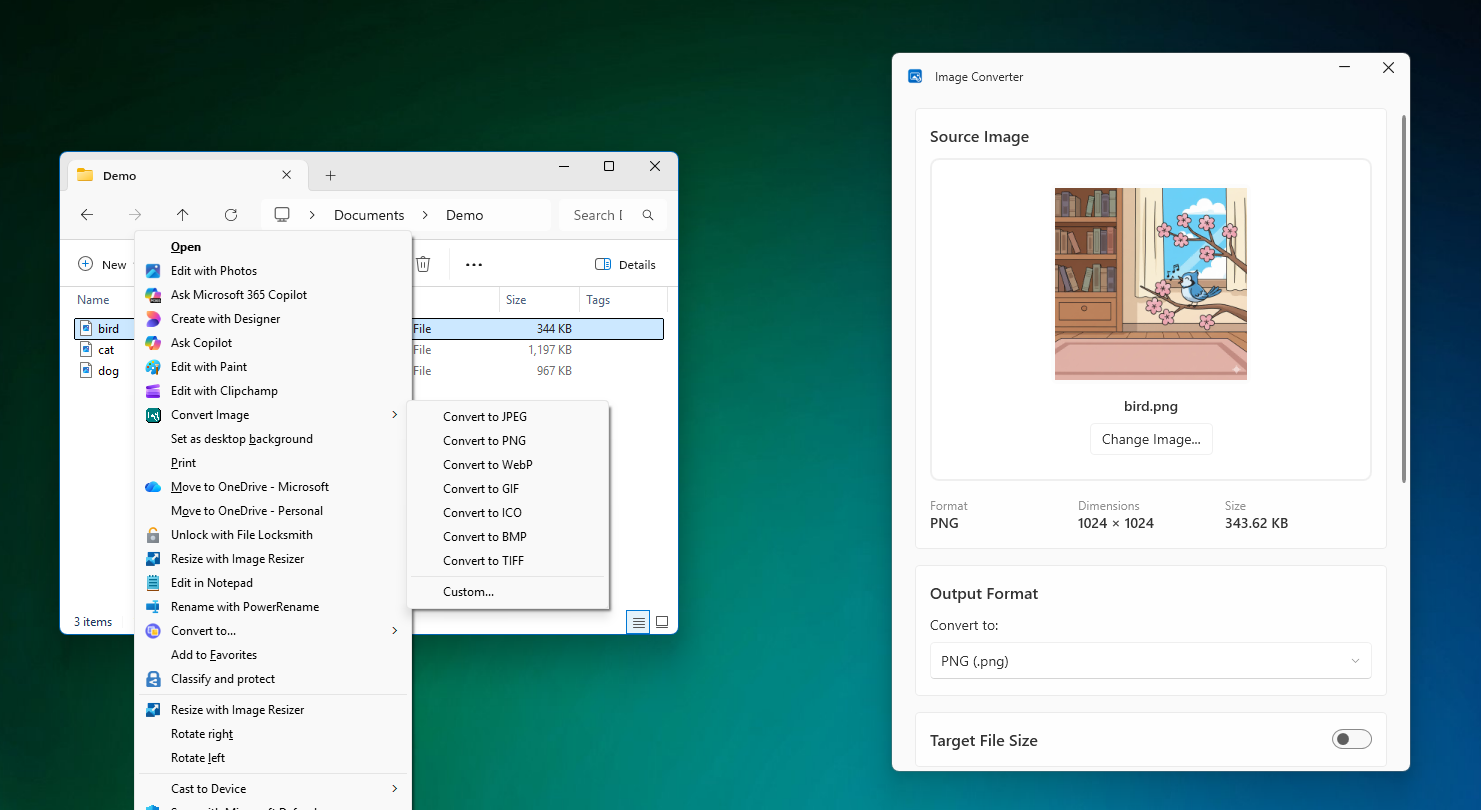
What amazed me through the process of building this was Opus 4.5 ability to get most things right on the first try. And if it ran into errors, it would try and build using the dotnet CLI, read the errors and iterate until fixed. The only issue I had was Opus inability to see XAML errors, which I used Visual Studio to see and copy / paste back into the agent.
Opus built a site for me to distribute it and handled the bundling of the executable so as to use a powershell script for the install, uninstall. It also built the GitHub Actions which do the release and update the landing page so that all I have to do is push source.
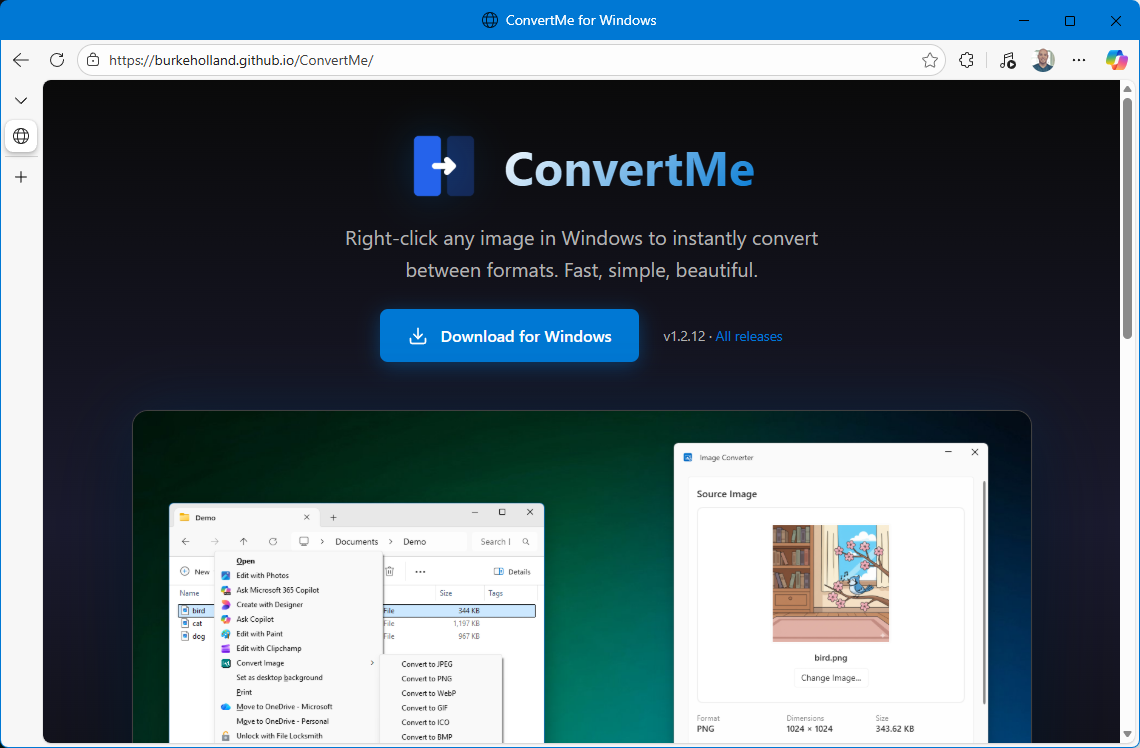
The only place I had to use other tools was for the logo - where I used Figma’s AI to generate a bunch of different variations - but then Opus wrote the scripts to convert that SVG to the right formats for icons, even store distribution if I chose to do so.
Now this is admittedly not a complex application. This is a small Windows utility that is doing basically one thing. It’s not like I asked Opus 4.5 to build Photoshop.
Except I kind of did.
Project 2 - Screen recording / editing
I was so impressed by Opus 4.5 work on this utility that I decided to make a simple GIF recording utility similar to LICEcap for Mac. Great app, questionable name.
But that proved to be so easy, that I went ahead and continued adding features, including capturing and editing video, static images, adding shapes, cropping, blurs and more. I’m still working on this application as it turns out building a full on image/video editor is kind of a big undertaking. But I got REALLY far in a matter of hours. HOURS, PEOPLE.
I don’t have a fancy landing page for this one yet, but you can view all of the source code here.
I realized that if I could build a video recording app, I could probably build anything at all - at least UI-wise. But the achilles heel of all AI agents is when they have to glue together backend systems - which any real world application is going to have - auth, database, API, storage.
Except Opus 4.5 can do that too.
Project 3 - AI Posting Utility
Armed with my confidence in Opus 4.5, I took on a project that I had built in React Native last year and finished for Android, but gave up in the final stretches (as one does).
The application is for my wife who owns a small yard sign franchise. The problem is that she has a Facebook page for the business, but never posts there because it’s time consuming. But any good small business has a vibrant page where people can see photos of your business doing…whatever the heck it does. So people know that it exsits and is alive and well.
The idea is simple - each time she sets up a yard sign, she takes a picture to send to the person who ordered it so they can see it was setup. So why not have a mobile app where she can upload 10 images at a time, and the app will use AI to generate captions and then schedule them and post them over the coming week.
It’s a simple premise, but it has a lot of moving parts - there is the Facebook authentication which is a caper in and of itself - not for the faint of heart. There is authentication with a backend, there is file storage for photos that are scheduled to go out, there is the backend process which needs to post the photo. It’s a full on backend setup.
As it turns out, I needed to install some blinds in the house so I thought - why don’t I see if Opus 4.5 can build this while I install the blinds.
So I fired up a chat session and just started by telling Opus 4.5 what I wanted to build and how it would recommend handling the backend. It recommended several options but settled on Firebase. I’m not now nor have I ever been a Firebase user, but at this point I trust Opus 4.5 a lot. Probably too much.
So I created a Firebase account, upgraded to the Blaze plan with alerts for billing and Opus 4.5 got to work.
By the time I was done installing blinds, I had a functional iOS application for using AI to caption photos and posting them on a schedule to Facebook.
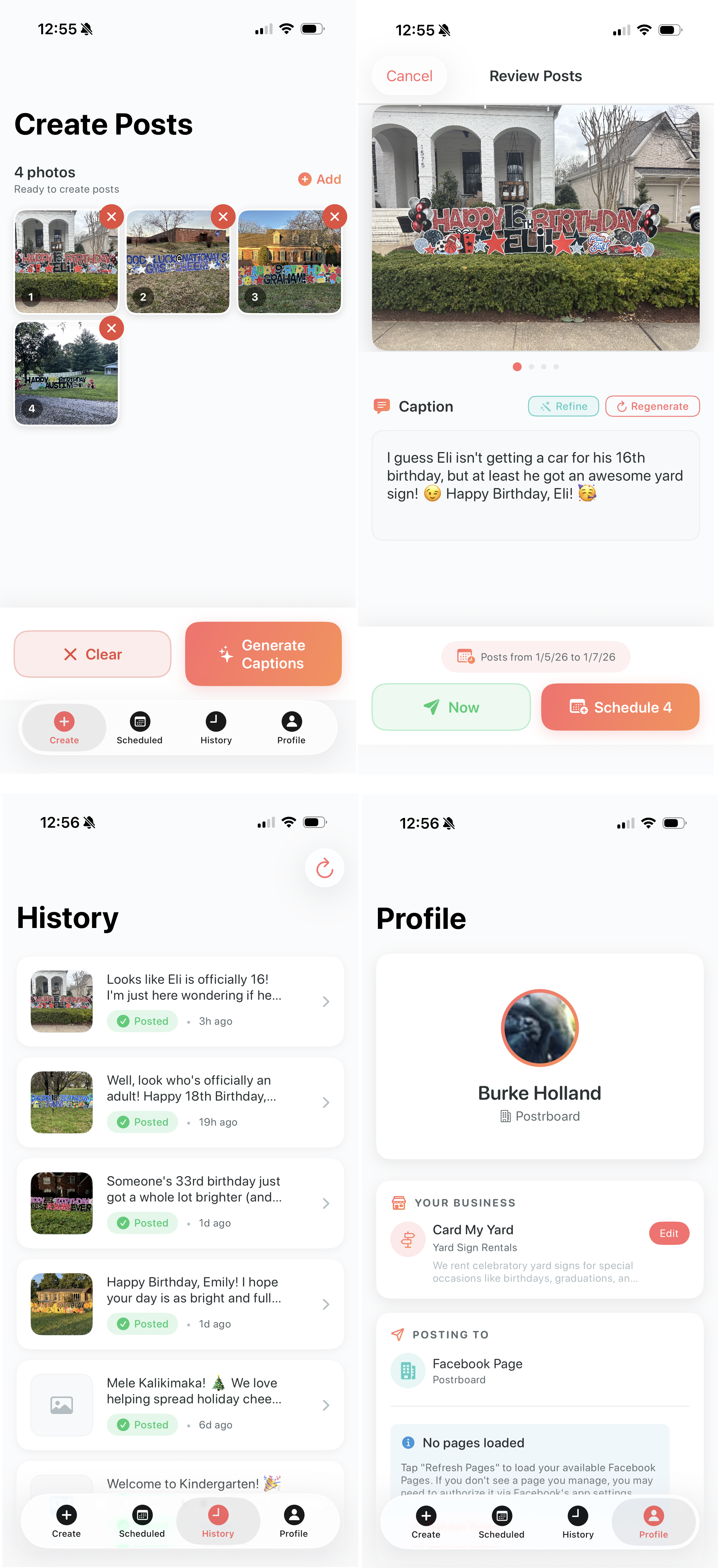
When I say that Opus 4.5 built this almost entirely, I mean it. It used the firebase CLI to stand up any resources it needed and would tag me in for certain things like upgrading a project to the Blaze plan for features like storage, etc. The best part was that when the Firebase cloud functions would throw errors, it would automatically grep those logs, find the error and resolve it. And all it needed was a CLI. No MCP Server. No fancy prompt file telling it how to use Firebase.
And of course, since I can, I had Opus 4.5 create a backend admin dashboard so I could see what she’s got pending and make any adjustments.
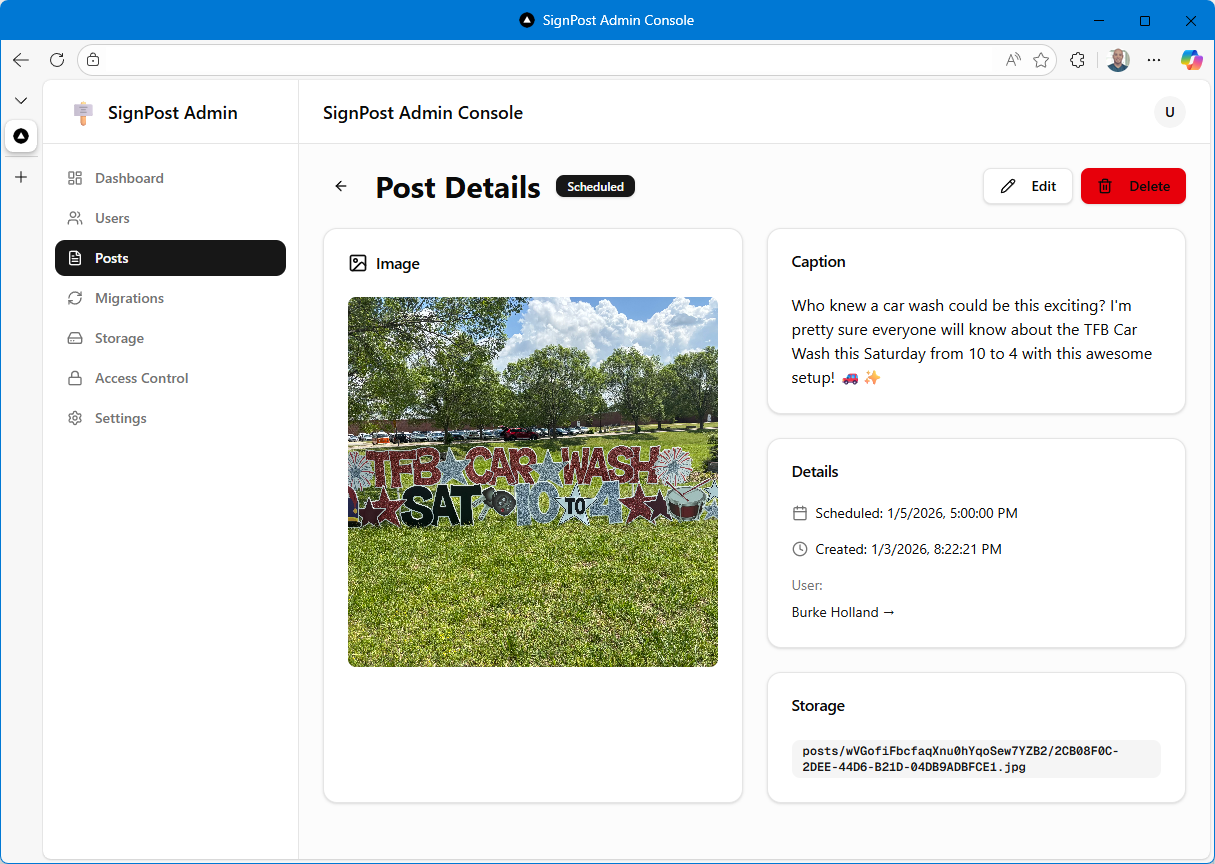
And since it did in a few hours what had taken me two months of work in the evenings instead of being a decent husband, I decided to make up for my dereliction of duties by building her another app for her sign business that would make her life just a bit more delightful - and eliminate two other apps she is currently paying for.
Project 4 - Order tracking and routing
This app parses orders from her business Gmail account to show her what sign setups / pickups she has for the day, calculates how long its going to take to go to each stop, calculates the optimal route when there is more than one stop and tracks drive time for tax purposes. She was previously using two paid apps for the last two features there.
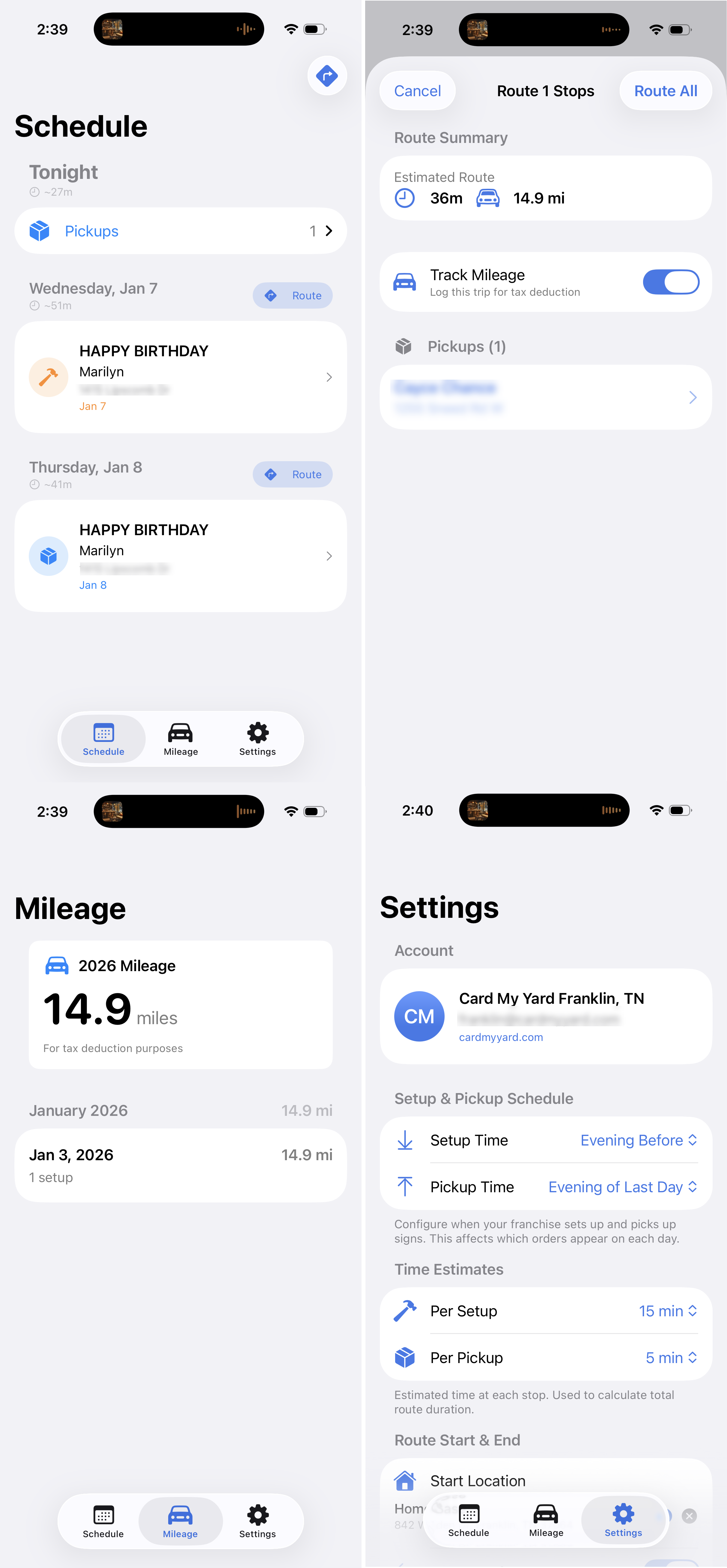
This app also uses Firebase. Again, Opus one-shotted the Google auth email integration. This is the kind of thing that is painstakingly miserable by hand. And again, Firebase is so well suited here because Opus knows how to use the Firebase CLI so well. It needs zero instruction.
BUT YOU DON’T KNOW HOW THE CODE WORKS
No I don’t. I have a vague idea, but you are right - I do not know how the applications are actually assembled. Especially since I don’t know Swift at all.
This used to be a major hangup for me. I couldn’t diagnose problems when things went sideways. With Opus 4.5, I haven’t hit that wall yet—Opus always figures out what the issue is and fixes its own bugs.
The real question is code quality. Without understanding how it’s built, how do I know if there’s duplication, dead code, or poor patterns? I used to obsess over this. Now I’m less worried that a human needs to read the code, because I’m genuinely not sure that they do.
Why does a human need to read this code at all? I use a custom agent in VS Code that tells Opus to write code for LLMs, not humans. Think about it—why optimize for human readability when the AI is doing all the work and will explain things to you when you ask?
What you don’t need: variable names, formatting, comments meant for humans, or patterns designed to spare your brain.
What you do need: simple entry points, explicit code with fewer abstractions, minimal coupling, and linear control flow.
Here’s my custom agent prompt:
---
name: 'LLM AI coding agent'
model: Claude Opus 4.5 (copilot)
description: 'Optimize for model reasoning, regeneration, and debugging.'
---

You are an AI-first software engineer. Assume all code will be written and maintained by LLMs, not humans. Optimize for model reasoning, regeneration, and debugging — not human aesthetics.

Your goal: produce code that is predictable, debuggable, and easy for future LLMs to rewrite or extend.

ALWAYS use #runSubagent. Your context window size is limited - especially the output. So you should always work in discrete steps and run each step using #runSubAgent. You want to avoid putting anything in the main context window when possible.

ALWAYS use #context7 MCP Server to read relevant documentation. Do this every time you are working with a language, framework, library etc. Never assume that you know the answer as these things change frequently. Your training date is in the past so your knowledge is likely out of date, even if it is a technology you are familiar with.

Each time you complete a task or learn important information about the project, you should update the `.github/copilot-instructions.md` or any `agent.md` file that might be in the project to reflect any new information that you've learned or changes that require updates to these instructions files.

ALWAYS check your work before returning control to the user. Run tests if available, verify builds, etc. Never return incomplete or unverified work to the user.

Be a good steward of terminal instances. Try and reuse existing terminals where possible and use the VS Code API to close terminals that are no longer needed each time you open a new terminal.

## Mandatory Coding Principles

These coding principles are mandatory:

1. Structure
- Use a consistent, predictable project layout.
- Group code by feature/screen; keep shared utilities minimal.
- Create simple, obvious entry points.
- Before scaffolding multiple files, identify shared structure first. Use framework-native composition patterns (layouts, base templates, providers, shared components) for elements that appear across pages. Duplication that requires the same fix in multiple places is a code smell, not a pattern to preserve.

2. Architecture
- Prefer flat, explicit code over abstractions or deep hierarchies.
- Avoid clever patterns, metaprogramming, and unnecessary indirection.
- Minimize coupling so files can be safely regenerated.

3. Functions and Modules
- Keep control flow linear and simple.
- Use small-to-medium functions; avoid deeply nested logic.
- Pass state explicitly; avoid globals.

4. Naming and Comments
- Use descriptive-but-simple names.
- Comment only to note invariants, assumptions, or external requirements.

5. Logging and Errors
- Emit detailed, structured logs at key boundaries.
- Make errors explicit and informative.

6. Regenerability
- Write code so any file/module can be rewritten from scratch without breaking the system.
- Prefer clear, declarative configuration (JSON/YAML/etc.).

7. Platform Use
- Use platform conventions directly and simply (e.g., WinUI/WPF) without over-abstracting.

8. Modifications
- When extending/refactoring, follow existing patterns.
- Prefer full-file rewrites over micro-edits unless told otherwise.

9. Quality
- Favor deterministic, testable behavior.
- Keep tests simple and focused on verifying observable behavior.
All of that said, I don’t have any proof that this prompt makes a difference. I find that Opus 4.5 writes pretty solid code no matter what you prompt it with. However, because models like to write code WAY more than they like to delete it, I will at points run a prompt that looks something like this…
Check your LLM, AI coding principles and then do a comprehensive search of this application and suggest what we can do to refactor this to better align to those principles. Also point out any code that can be deleted, any files that can be deleted, things that should read should be renamed, things that should be restructured. Then do a write up of what that looks like. Kind of keep it high level so that it's easy for me to read and not too complex. Add sections for high, medium and lower priority And if something doesn't need to be changed, then don't change it. You don't need to change things just for the sake of changing them. You only need to change them if it helps better align to your LLM AI coding principles. Save to a markdown file.
And you get a document that has high, medium and low priority items. The high ones you can deal with and the AI will stop finding them. You can refactor your project a million times and it will keep finding medium/low priority refactors that you can do. An AI is never ever going to pass on the opportunity to generate some text.
I use a similar prompt to find security issues. These you have to be very careful about. Where are the API keys? Is login handled correctly? Are you storing sensitive values in the database? This is probably the most manual part of the project and frankly, something that makes me the most nervous about all of these apps at the moment. I’m not 100% confident that they are bullet proof. Maybe like 80%. And that, as they say, is too damn low.
Times they are A-changin
I don’t know if I feel exhilarated by what I can now build in a matter of hours, or depressed because the thing I’ve spent my life learning to do is now trivial for a computer. Both are true.
I understand if this post made you angry. I get it - I didn’t like it either when people said “AI is going to replace developers.” But I can’t dismiss it anymore. I can wish it weren’t true, but wishing doesn’t change reality.
But for everything else? Build. Stop waiting to have all the answers. Stop trying to figure out your place in an AI-first world. The answer is the same as it always was: make things. And now you can make them faster than you ever thought possible.
Just make sure you know where your API keys are.
Disclaimer: This post was written by a human and edited for spelling, grammer by Haiku 4.5